
Sherlock, an interface for medical data
 Sherlockfor CH Studio
Context
Making complex medical data accessible and usable
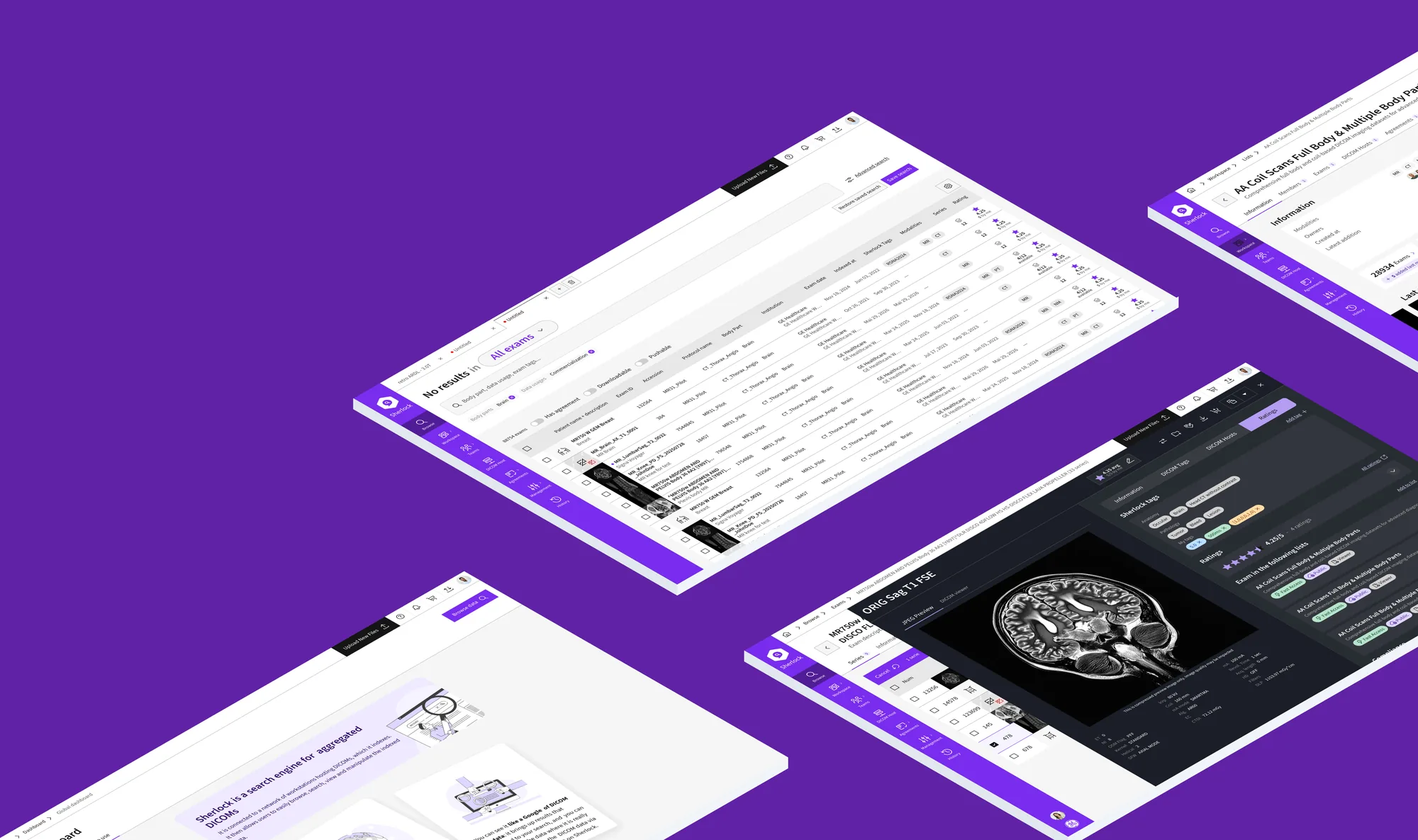
Sherlock is an internal platform built for GE HealthCare that centralises medical imaging data in DICOM format and makes it easier to search, view and share.
This data is used by people with different needs: R&D, product development, quality and marketing teams, as well as specialists preparing data for artificial intelligence. Each of them must be able to find the relevant exams, understand the available information and carry out the operations their work requires.
The product’s complexity therefore lies not only in the volume of data, but also in its structure, the variety of uses and the technical constraints that come with them: indexing, multi-criteria search, access rights, servers and processing workflows.
I contributed to Sherlock’s evolution as part of my work at CH Studio, working on UX/UI design and the gradual improvement of the interfaces of a product in continuous development.
The design challenge: turning this technical complexity into a readable, consistent and efficient experience, without hiding the information users need to make their decisions.
The team
Aurélien BiardUX/UI designer
I lead the project and make the design decisions (product thinking - Design System structure - UX/UI choices - tokens and design principles - components and behaviours - guidelines - documentation & validation of results)
CH StudioCH Studio team
Working with the CTO and developers to test UX proposals against technical constraints and implementation possibilities.
GE HealthcareClient
User teams and stakeholders: a demanding business environment, with needs specific to each activity and uses that evolve as the product develops.
Deliverables
- UX/UI mockups of the search, viewing and data management interfaces.
- Interactive prototypes to explore journeys and validate interactions.
- Structuring tables and filters, to make data easier to browse and compare.
- Designing business workflows, especially around selecting, accessing and handling exams.
- Functional and behavioural specifications to make interface rules explicit and ease discussions with developers.
- UX/UI iterations to gradually improve the product’s consistency, readability and efficiency.
Tasks & achievements
Design System overhaul
- Audit of the existing system: tokens, components, variants and conventions.
- Restructuring the Design System architecture to improve its consistency and maintainability.
- Overhauling the visual foundations: colours, typography, spacing and semantic variables.
- Harmonising components, their variants, states and behaviours.
- Integrating principles from the Ethos Design System, adapted to the project’s needs and constraints.
- Clarifying usage rules and the relationships between tokens, components and patterns.
- Updating the documentation to make the system easier to use and to hand over to design and development teams.
Designing journeys that fit business workflows
Sherlock is not limited to viewing data. Users must also be able to extract it, download it, share it or use it in other environments.
I contributed to designing and improving these journeys, taking into account the available actions, permissions and context of use.
The challenge is to make these operations understandable and predictable, while keeping the precision expected of a professional tool.Improving the readability of complex interfaces
Sherlock’s interfaces handle dense information, advanced search criteria and technical actions. I worked on their organisation to make the interface easier to understand and reduce cognitive load.
This means thinking about visual hierarchy, how tables are organised, how filters are presented and how visible actions are depending on context.
My approach: not simplifying the data itself, but simplifying the way users understand it and act on it.Evolving the product together with developers
Sherlock is a living product that evolves with needs and user feedback. Design is therefore part of a continuous improvement process: analysing pain points, exploring solutions, formalising expected behaviours and working with the tech team to build them into the product.
Working closely with development allowed me to take architecture, data and operational constraints into account from the design stage, rather than only dealing with them at implementation.
What this experience shows about my work
Sherlock is an example of my approach to Product Design: working on technically demanding products, understanding business constraints and turning complex systems into usable experiences.
Beyond designing screens, this work relies on structuring information, understanding workflows and collaborating with developers.
Designing simple interfaces for complex products, without losing the precision professional use requires.